Skip to content
Hotel Atlas home

Workspace

A shared workspace for menus and recipes.

Review dishes, service days and cost context together. Take the working menu from preparation to review, from team output to guest-facing presentation.

Let the team review the same plan.

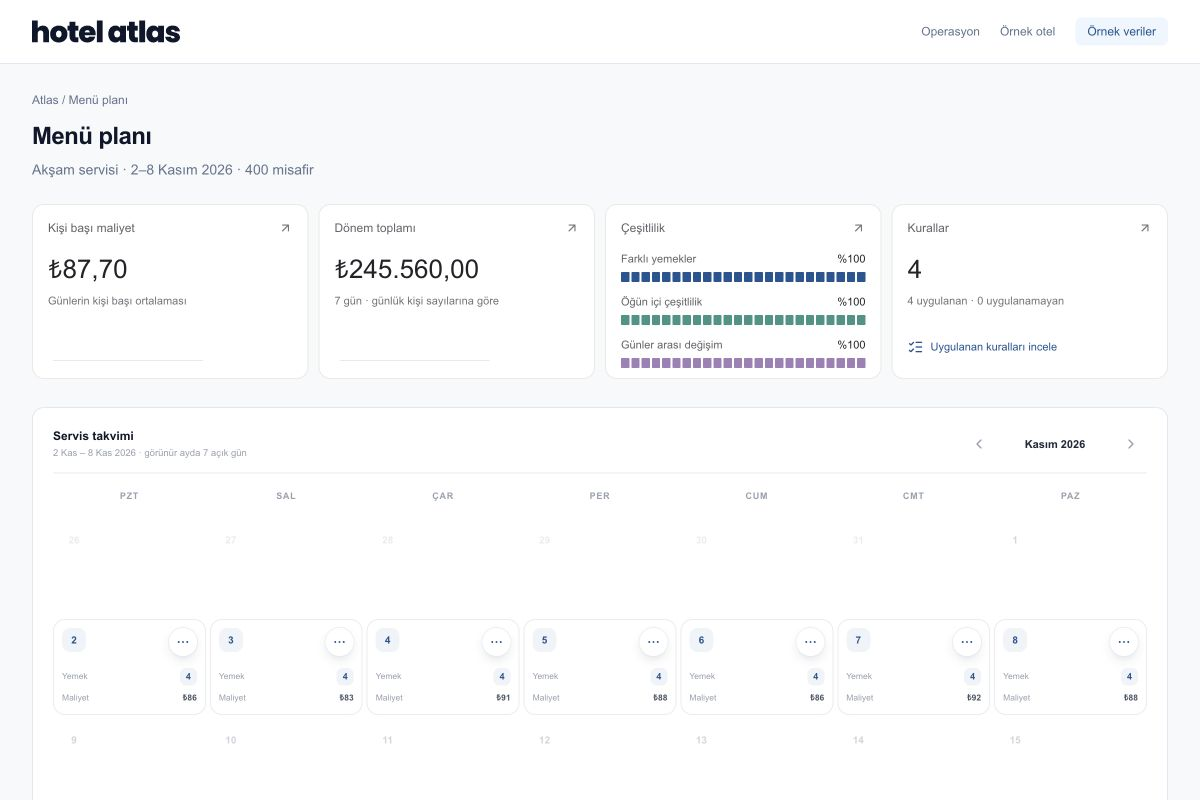
An actual Atlas interface with a sample menu plan. Review per-person cost, plan scope and the service calendar together.

Atlas Menu & Production screen with sample data
Actual Atlas interface · Sample data · Interface shown in Turkish

Inspect a sample ingredient-needs table.

A three-ingredient CSV using sample data. It illustrates the structure of a service calculation.

Download sample CSV

WITHIN THE OPERATION

From a working menu to useful output.

Keep the inputs behind each dish

A dish name alone is not enough for preparation. Keep recipes, portions, ingredients and price coverage in the same review.

Explore Menu & Production
  • Ingredients and recipes
  • Portions and guest count
  • Visible price coverage

Connect the service to a visible plan

Review plans alongside service dates and meal structure. Assess the impact on preparation and ingredients before changing a dish.

  • Service calendar
  • Dish and variety review
  • Cost and preparation context

Take the output your team needs

Use Excel, CSV and PDF outputs in supported working areas. Content follows the selected audience and access scope.

Explore data inputs and outputs
  • Operational tables for your team
  • Menu and production information
  • Review scope before exporting

Treat the guest menu as its own audience

Kitchen cost and preparation records serve a different purpose from a guest-facing menu. Preview and prepare the appropriate output for its audience.

  • Guest-facing menu presentation
  • Separate internal operational data
  • Team review before presentation

START TOGETHER

Let’s review your current menu.

Start with the information you have today. We can clarify missing inputs and the scope of a first service together.

  1. A sample menu or recipe file
  2. Service dates and meals
  3. Guest and portion information
  4. Output needs for your team or guests

YOUR QUESTIONS

Before you begin.

Is the sample screen the real product?

Yes. It is captured from the Atlas interface and shows sample data in Turkish. We can explore the relevant areas of your workflow in a demo.

Can we start with our existing files?

We can review the file structure and information together, then clarify the transfer scope for menus, recipes, units and prices.

Can everyone make the same changes?

Access and actions are assessed against your organization’s responsibilities. We can define review and editing needs around chef, purchasing and management roles.

SEE ATLAS IN YOUR OWN SERVICE

Let’s review your working menu in Atlas.

Start with a menu, a recipe and the priorities of your team.
Request a demo